No more imprecise scrubbing
Sentence boundaries are ready, so returning is immediate.
 Smart RepeaterSentence-first language practice
Turn any captioned YouTube video into focused language practice. Repeat one sentence, see its meaning and hear it clearly—then move forward when it finally clicks.
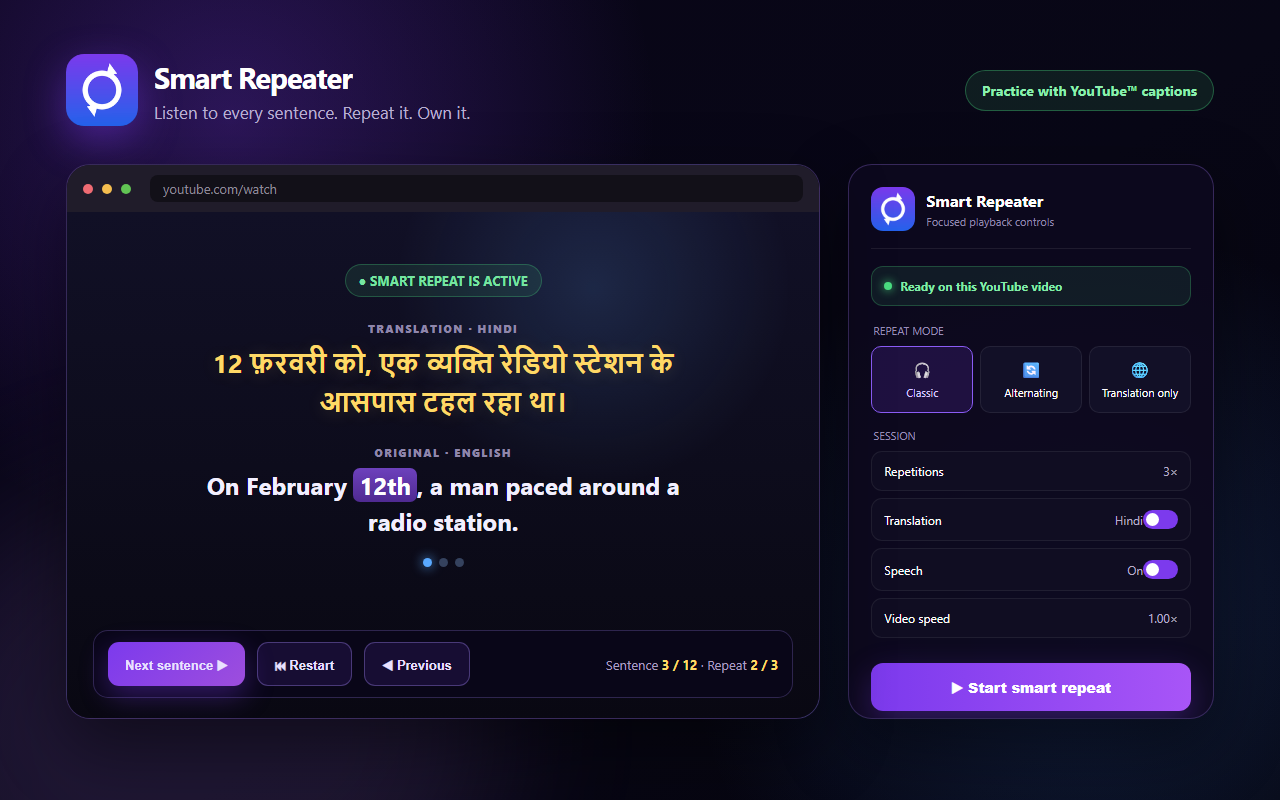
A sentence disappears before you catch its sound or meaning. Rewinding misses the boundary, pausing breaks the rhythm, and switching between tabs drains your attention.
Smart Repeater keeps everything around the sentence you are learning—then stays out of your way.
Sentence boundaries are ready, so returning is immediate.
Original text, translation and speech stay together.
Repetition turns watching into deliberate practice.
Play the sentence, adjust the repeat count and move forward only when you are ready.
रोज़ का छोटा अभ्यास ऐसी प्रगति बनाता है जिसे रोकना मुश्किल होता है।
Choose classic, alternating or translation-only practice. Change the count mid-session without breaking focus.
Keep both lines visible so sound connects to meaning instead of isolated words.
Synchronized speech, voice choice and independent speed control keep every line clear.
Previous, next, freeze, copy, speed and restart—precise shortcuts that keep your hands in flow.
Focus mode, blackout, interface hiding and text selection create a calmer learning space.
A separate floating window keeps translation and controls above your other apps while you take notes.
Focused challenges and clear session progress give practice an achievable finish line.
Enable the optional Session Doctor to detect stalled playback, missing captions, speech failures or a lost interface—then apply staged repairs without throwing away your place.
Smart Repeater works inside YouTube with the captions already available.
Set repetitions, translation language, speech and playback speed.
The next sentence starts when your learning flow says it should.
Use the core practice flow with your own videos. After the trial, choose the plan that fits how you learn.
Focused language sessions inside YouTube.
For learning while you work, write or multitask.
Smart Repeater is limited to YouTube pages. Optional AI service keys stay in local extension storage, and payment proof is never uploaded automatically.
Read the complete privacy policy →No. Open any YouTube video with available captions, then start Smart Repeater.
Not for the core practice flow. Some optional AI and speech providers require a key you supply yourself.
The setup interface is available in English and Arabic, while translation supports a wider set that includes Hindi, English, Arabic and more.
After three days you can choose Premium or Cloud. The extension shows the price and available payment method for your country.
Yes. Adjust the count or speed, move between sentences, freeze text or switch to free mode from the interface or keyboard.
Your next sentence can change how you listen
Preparing for the Chrome Web Store. Request early access and start with the free trial.
One click from the Chrome Web Store when the listing is ready.